Skip to content
RedRoverBETA

RedRover Mobile is here.

Quickly update tasks and requirements from your phone.

Free Android download · iPhone awaiting App Store approval
Get the mobile app
CONNECTED DELIVERY. HUMAN + AI.

Less chasing.Clearer commitments.

Outcomes, priorities, releases and account CRM. One complete product for $100 per company per month, with unlimited users. No setup fee. No per-user charges. No paid feature tiers.

Free during beta · No card required · Free for Hatchery customers

ILLUSTRATIVE WORKSPACE
WORKSPACECustomer launchOne connected story
GOALMake onboarding easier
REQUIREMENTGive every customer a clear next step
RELEASEOnboarding · Release 1.0
NEXT STEPSOWNER
Build the welcome flowIn progressA
Review customer guidanceNeeds reviewS
Test the first-use journeyReadyJ

One goal. Agreed scope. A release everyone can follow.

Context your AI can work with.Connected through MCP. Access you control.
One connected workflowGoals → Requirements → Releases → TasksFollow the story
NOW IN REDROVER

The work follows you.

A complete project record. Space to think. A faster way to move work forward.

01 / FILES & FOLDERS LIVE

Bring the whole folder. Keep the context.

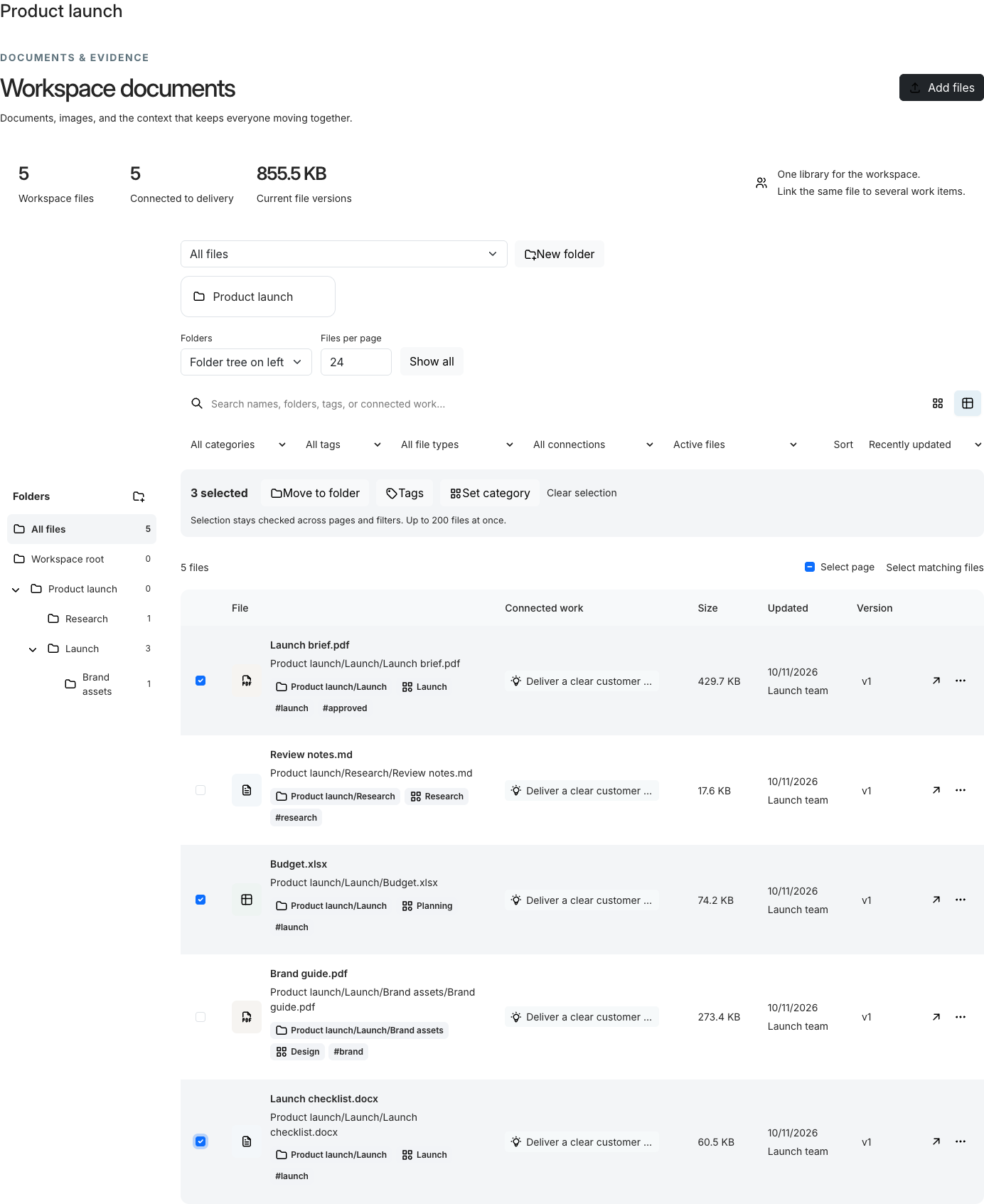
Upload folder trees with their supported files, keep the nested structure, and find the right document by name, tag, category or connected work.

  • Nested folders and a browsable folder tree
  • Bulk move, tag and categorize files
  • Member sharing with Viewer, Editor and Owner access
Explore files and collaboration
RedRover file library with a nested launch folder tree and selected documents ready for bulk updates
The actual file-library interface, shown with demo records.
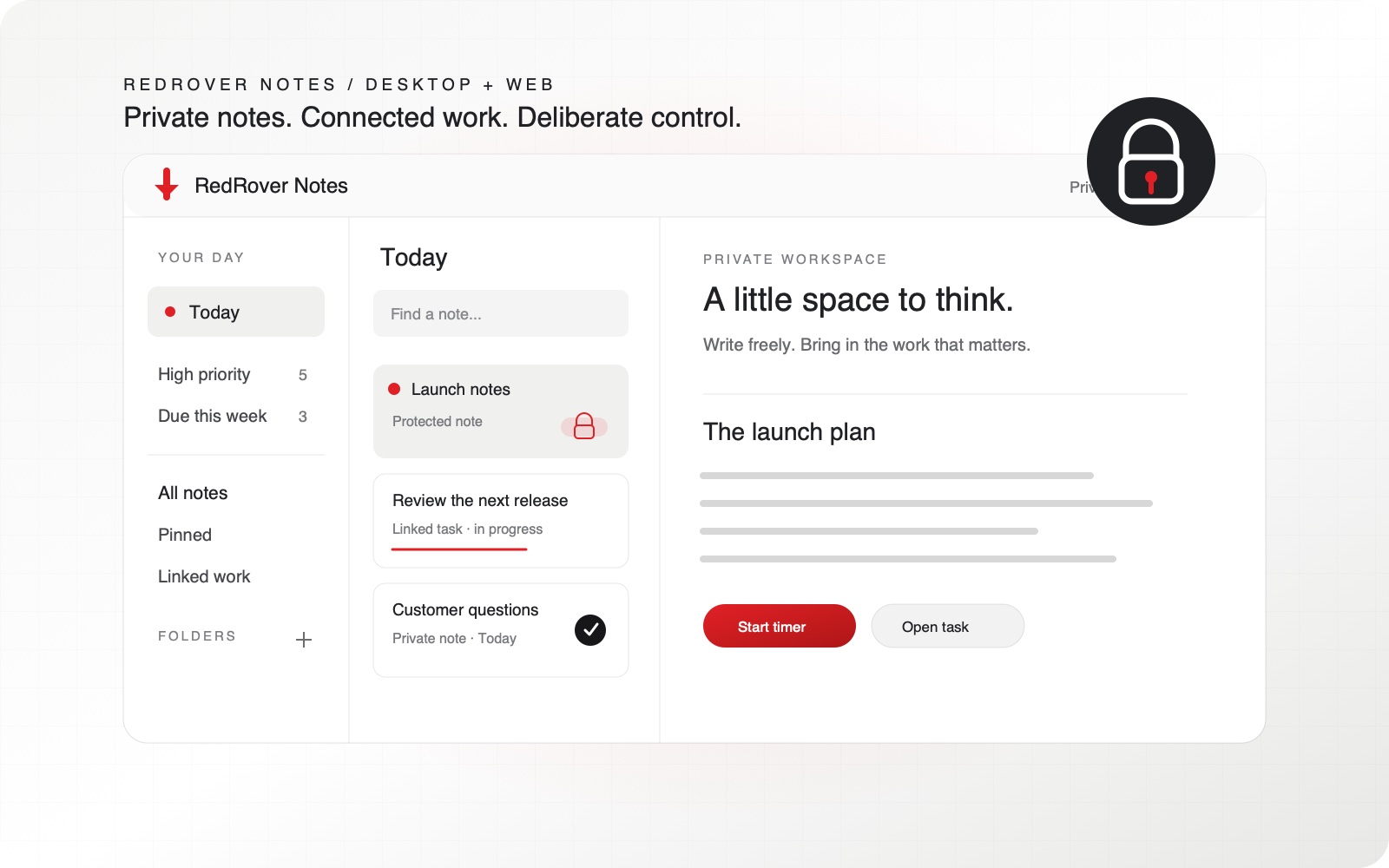
02 / REDROVER NOTES DESKTOP

Your thoughts. Your Today. Your Week.

Capture private notes, bring permitted tasks and requirements into your day, and plan the week in a focused desktop companion.

  • Fast capture, Today, Someday and 7- or 30-day planning
  • Optional Google Calendar scheduling with a clear event link
  • Private notes with optional password protection and encryption
Meet RedRover Notes
RedRover Notes illustration showing private notes beside linked work and a personal Today view
A personal space for thinking, alongside the team’s work.
03 / REDROVER MOBILE ANDROID AVAILABLE · IOS IN REVIEW

A quick update, wherever work happens.

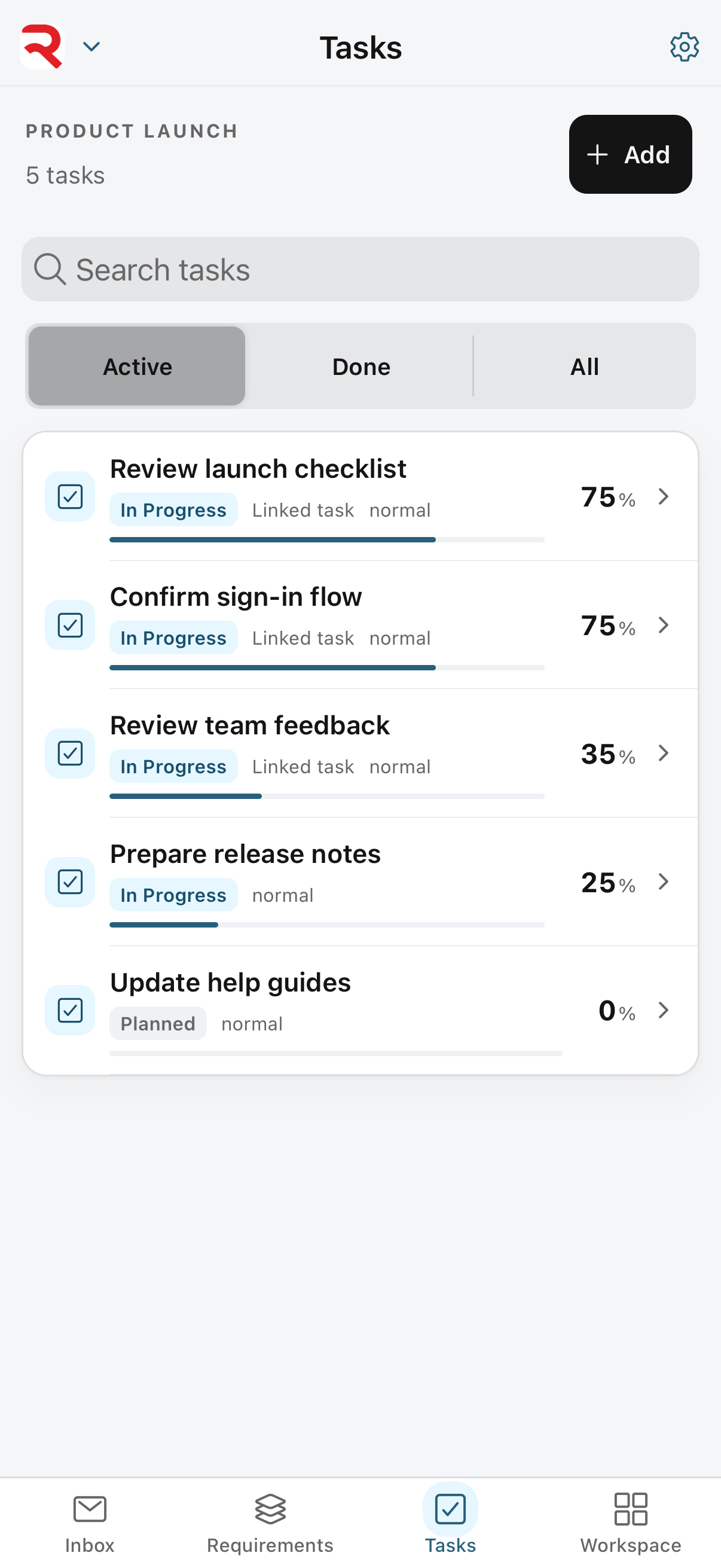
Native Android, iPhone and iPad apps bring your Inbox, requirements, tasks and workspace documents within reach, with the same RedRover account and permissions.

  • Update status and progress, and create tasks or subtasks
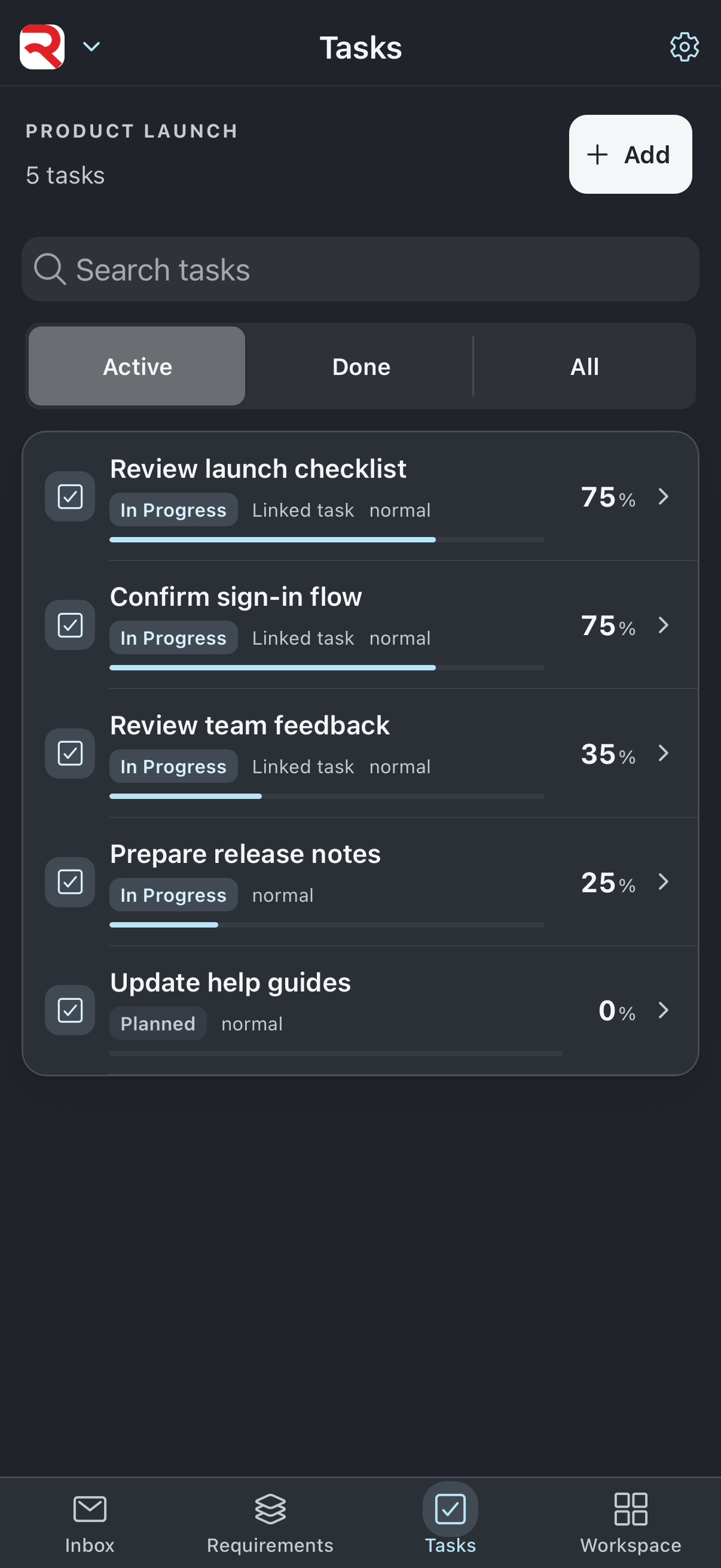
  • Touch-friendly work lists in light and dark appearance
  • Android is available now; iPhone and iPad await Apple approval
Get RedRover Mobile
RedRover Mobile task interface in light appearance with demo launch work and progress percentages RedRover Mobile task interface in dark appearance with demo launch work
App interface preview with demo work. iOS public availability follows Apple approval.

Product views use illustrative or demo content.

THE WORK HAS A REASON

A task list tells you what. RedRover keeps the why.

Give every commitment a clear place in the story. Start with an outcome, agree on the scope, plan the release, and follow the work through acceptance.

01 / WHY

Goals

Agree on the result you want. Keep the outcome visible as priorities change.

02 / WHAT

Requirements

Define what success needs. Prioritize scope and keep decisions beside the work.

03 / WHEN

Releases

Bring the right scope into the next delivery. See readiness, estimates, and capacity together.

04 / HOW

Tasks

Give people a clear next step, with ownership, discussions, files, and time in context.

ACCOUNT CRM · INCLUDED

Your relationships belong to your account.

CRM is part of your RedRover account. Your authorized account team shares prospects, contacts, pipeline stages and follow-ups. Workspaces organize the goals, requirements, releases and tasks your teams deliver.

ACCOUNT

One account pipeline

Track prospect companies, objectives, owners, values and expected close dates. Keep active opportunities, wins, losses and stalled prospects in clear views.

Explore One account pipeline ↗
ACCOUNT

Contacts and follow-through

Keep decision makers, champions, activity history and the next conversation with each prospect. Due follow-ups and stalled opportunities stay visible.

PERMISSIONS

Controlled account access

CRM access follows account roles and CRM permissions. Membership in a delivery workspace does not automatically grant access to the commercial pipeline.

AI THAT CAN WORK WITH YOU

Stop copying status into your assistant.

MCP connects compatible AI assistants to the RedRover work you allow them to see. Ask what needs attention, create a task, or plan a focus block—and keep the result in the same system your team uses.

Read the real context

Ask about current requirements, releases, tasks, and your own time. Your assistant can retrieve permitted records instead of relying on a pasted snapshot.

Move the work forward

Turn a conversation into a task, an update, or planned time. Supported changes are saved back to RedRover with your permissions.

Keep control

Choose workspaces and access for each connection. Revoke a key when needed. The assistant acts as you, within the access you already have.

ONE COMPLETE PRODUCT

Your workflow should decide what you use.

Goals, planning, collaboration, forecasts, reporting, customer views, support, integrations, and MCP belong together. Every piece of RedRover functionality is included in one plan.

Stay aligned

Share the outcome and the release scope. Give customers a focused view of progress and the decisions they need to make.

Spot the uncertainty

Compare delivery targets with capacity-based scenarios. Missing estimates and assignments stay visible.

Work where you are

Use the full web workspace, your Notes desktop companion, or the native Android app. iPhone and iPad are submitted to Apple for review.

Explore Work where you are ↗
EARLY ACCESS

Bring one real release. Help shape the next one.

We are inviting early adopters who want clearer delivery and are willing to help us learn. Start with a focused beta pilot, guided setup, and a direct feedback loop.

A useful first pilot

Choose a real goal and an upcoming release. We will help you connect the scope and start using the workflow.

A voice in what comes next

Share the friction, test improvements, and help prioritize what makes a difference in daily work.

Results worth sharing

With your permission, turn a successful pilot into a case study. No fabricated outcomes. No automatic publicity.

SEE THE CONNECTION

Ask. Connect. Move forward.

Try three examples of how MCP connects a conversation to your delivery work.

YOUR ASSISTANT Sample conversation

What needs attention in our onboarding release?

REDROVER MCPRead permitted release + linked workWorkspace access + your connection grants checked
✓

The welcome flow is in progress. Customer guidance needs review. Check the review task before calling the release ready.

BACK IN REDROVER

The next decision is visible.

Open the review task in RedRover. The assistant has retrieved current permitted records instead of guessing from yesterday’s pasted status.

  1. Your request
  2. Read permitted work
  3. Answer with context
Try this with your own work ↗

Interactive illustration with invented sample work. This demo does not connect to an AI provider or change a workspace.

ONE COMPANY. ONE COMPLETE PRODUCT.

One predictable price.

Goals, requirements, RICE, releases, tasks, account CRM, Notes, Mobile and AI connections are included. Add people without growing the RedRover bill.

$100 per company / month · unlimited users$1,200 per year · the same complete planSee the complete plan ↗
LET’S DELIVER SOMETHING THAT MATTERS.

Your next release starts here.

Join the beta. Bring your team, your work, and your point of view.

Join the beta ↗